이번 포스팅에서는 MLflow를 활용해 랜덤포레스트 분류 모델을 학습하고, 실험 결과를 자동으로 추적하는 방법을 다룹니다.
데이터 전처리부터 모델 학습, 실험 기록, 모델 저장까지의 전체 과정을 단계별로 살펴보겠습니다.
1. 실험 개요
MLflow는 머신러닝 실험을 체계적으로 관리할 수 있는 오픈소스 플랫폼으로,
다음과 같은 기능을 제공합니다.
- 실험별 하이퍼파라미터 및 성능 지표 자동 기록
- 모델 버전 관리 및 재현성 확보
- 로컬/서버 환경 모두에서 추적 가능
이번 예제에서는 Titanic 생존자 데이터셋을 활용해
RandomForestClassifier 모델을 학습하고, MLflow를 통해 실험을 기록해보겠습니다.
2. 코드 구성
2.1 라이브러리 불러오기
import pandas as pd
from sklearn.ensemble import RandomForestClassifier
from sklearn.model_selection import train_test_split
from sklearn.metrics import accuracy_score, precision_recall_fscore_support
import mlflow
2.2 데이터 전처리
def preprocess_learning_data(data_name):
    data = pd.read_csv(data_name, index_col=0)
    label = data["Survived"]
    data = data.drop(["Survived"], axis=1)

    X_train, X_test, y_train, y_test = train_test_split(
        data, label, test_size=0.25, random_state=1234
    )

    return X_train, X_test, y_train, y_test
preprocess_learning_data 함수에서는
- CSV 파일을 불러와 Survived를 라벨로 분리하고,
- 학습/테스트 데이터를 75:25 비율로 분할합니다.
2.3 MLflow 실험 초기화
def initialize_experiment():
    mlflow.set_tracking_uri('http://127.0.0.1:5000')  # Tracking 서버 URI 설정
    experiment_name = 'hellomlflow!!'

    if not mlflow.get_experiment_by_name(experiment_name):
        mlflow.create_experiment(experiment_name)

    mlflow.set_experiment(experiment_name)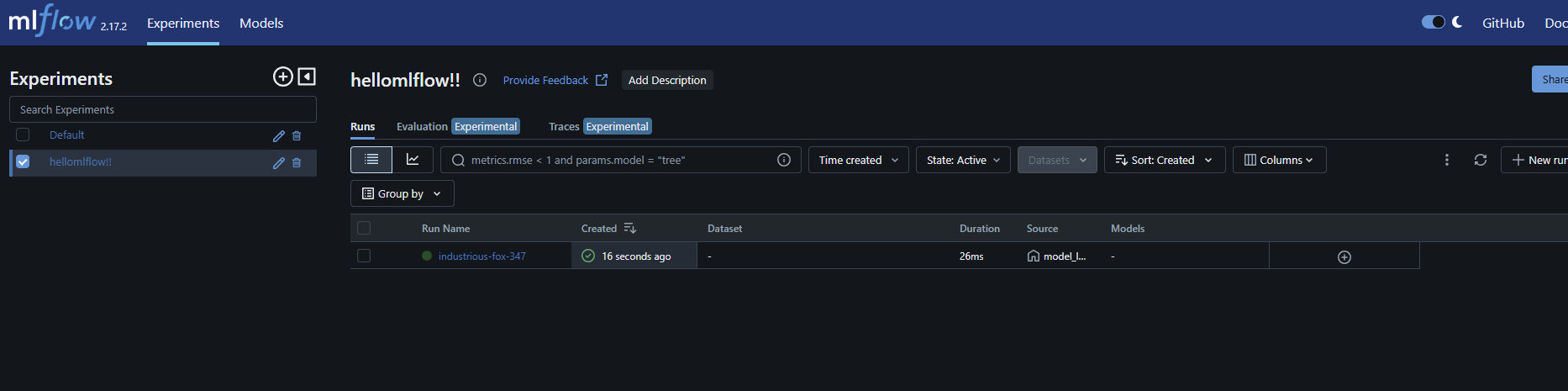
이 함수는 MLflow Tracking 서버와 연결하고,
지정한 실험 이름(hellomlflow!!)이 없을 경우 자동으로 새로 생성합니다.
2.4 모델 학습 및 결과 기록
n_estimator = 30
random_state = 1234

X_train, X_test, y_train, y_test = preprocess_learning_data('dataset_preprocessing.csv')
initialize_experiment()

mlflow.start_run()

model = RandomForestClassifier(n_estimators=n_estimator, random_state=random_state)
model.fit(X_train, y_train)

y_pred = model.predict(X_test)
accuracy = accuracy_score(y_test, y_pred)
prf = precision_recall_fscore_support(y_test, y_pred, average="binary")

# 파라미터 및 지표 기록
mlflow.log_param('n_estimator', n_estimator)
mlflow.log_metric('accuracy_on_test', accuracy)
mlflow.log_metric("precision_on_test", prf[0])
mlflow.log_metric("recall_on_test", prf[1])
mlflow.log_metric("f1score_on_test", prf[2])

# 모델 저장
mlflow.sklearn.log_model(model, 'model')

mlflow.end_run()
기록 내용
- 파라미터: n_estimators
- 성능 지표: Accuracy, Precision, Recall, F1-score
- 모델 객체: sklearn 모델 형식으로 MLflow에 저장
실행(run) 정보
- 실험명: hellomlflow!!
- 실행 ID: brawny-stoat-706
- 총 실행 시간: 약 2.2초
- 모델 저장 위치: sklearn 형식으로 MLflow 저장소에 기록
3. MLflow UI에서 결과 확인하기
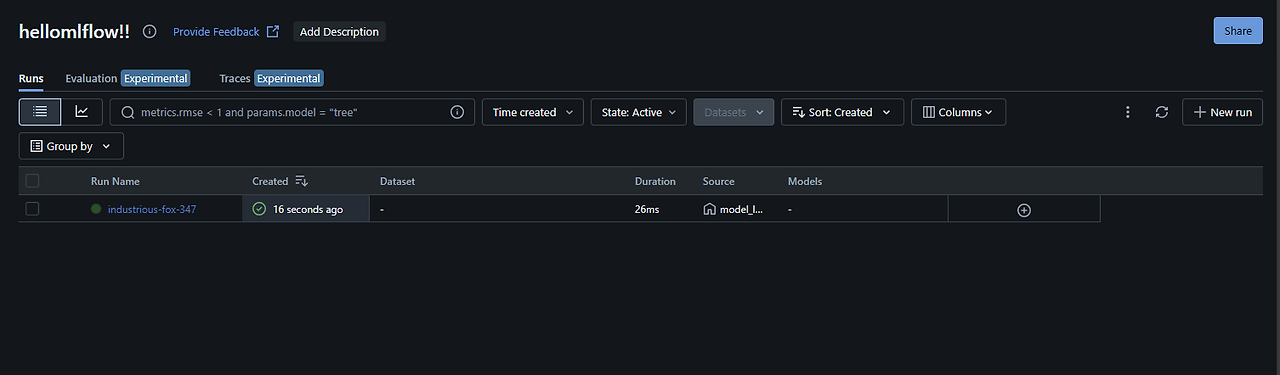

실행이 완료되면 MLflow Tracking UI(기본: http://127.0.0.1:5000)에서
아래와 같이 실험 결과를 시각적으로 확인할 수 있습니다.
- 각 Run별 Accuracy, Precision 등 비교
- 모델 파일 직접 다운로드 및 재학습 가능
- 하이퍼파라미터 튜닝 실험 간 성능 비교
정리하면
이번 실습에서는 MLflow를 활용해 모델 학습부터 실험 관리까지 전 과정을 자동화했습니다.
핵심 포인트는 다음과 같습니다.
- initialize_experiment(): 실험 생성 및 Tracking URI 설정
- log_param, log_metric: 실험 기록 자동화
- log_model: 모델 아티팩트 저장
- UI를 통한 실험 비교 및 재현성 확보
이제 MLflow를 사용하면 복잡한 실험 로그 관리 없이
모든 학습 과정을 한눈에 관리할 수 있습니다
'MLOps·머신러닝 운영 > MLflow를 활용한 머신러닝 실험 관리' 카테고리의 다른 글
| Docker Compose로 MLflow + MySQL 환경 구축하기 (0) | 2025.10.22 |
|---|---|
| MLflow Autolog 확장하기: Custom Logging으로 세부 실험 데이터 관리 (0) | 2025.10.21 |
| MLflow 설치와 환경 구축 실습 가이드 (0) | 2025.10.20 |
| MLflow란 무엇인가? (0) | 2025.10.20 |
| Model Serving (0) | 2025.02.12 |